

How to View Your Medical Records
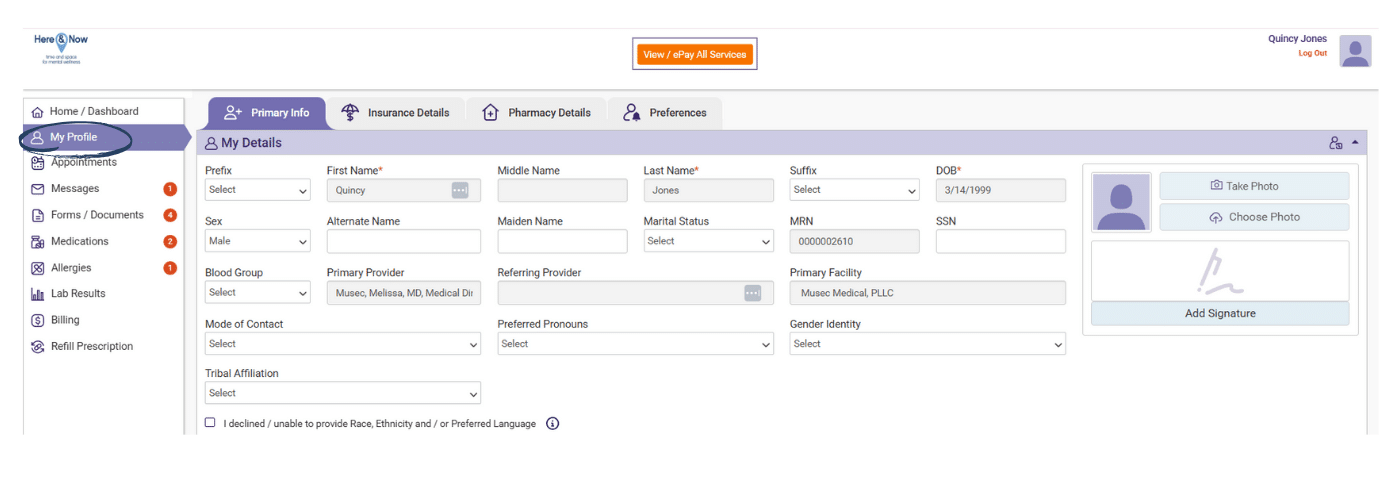
Navigate to the left-side menu where you’ll find several options for accessing different parts of your health information:
For Medication Information: Click on “Medications” in the left navigation menu. This will display your complete medication list, including active prescriptions, dosages, prescribing providers, and pharmacy dispensing details. You can sort medications by date or medication name, and print this list for your records.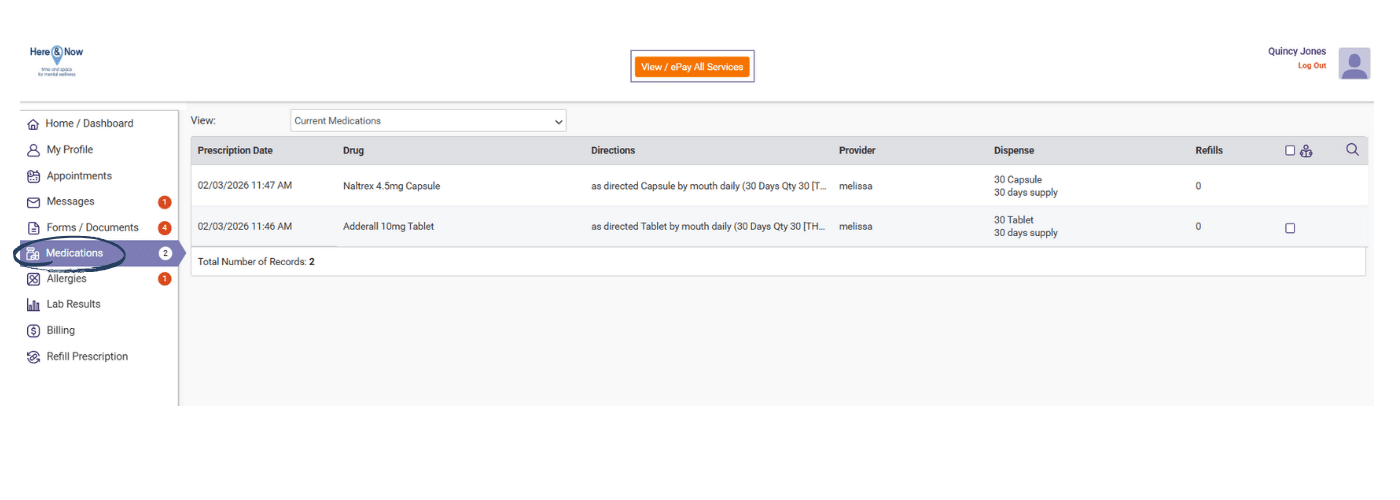
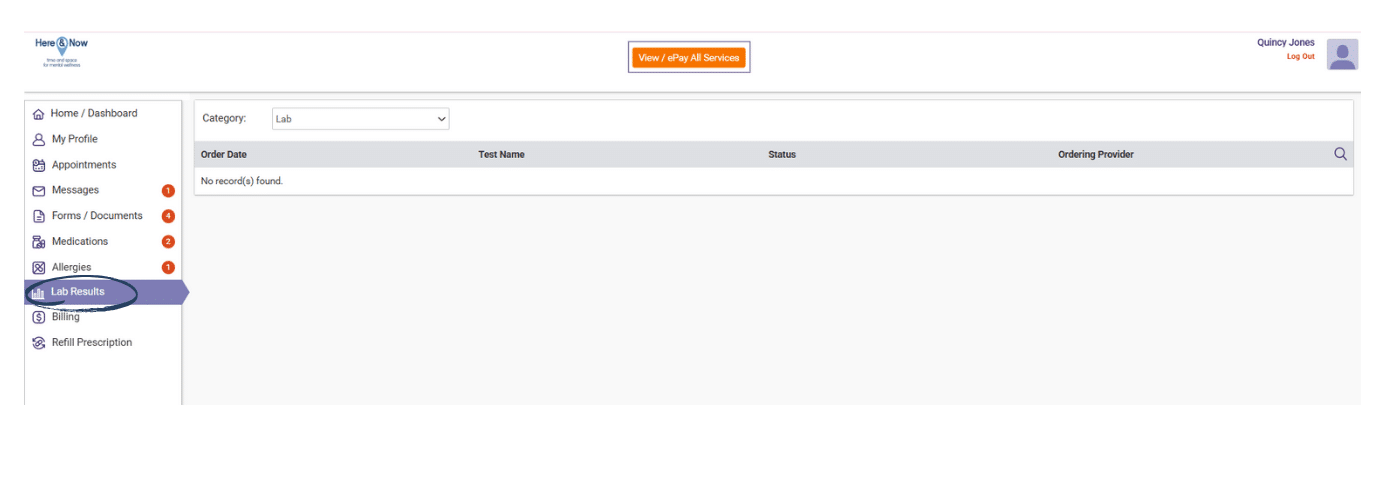
For Laboratory Results: Click on “Lab Results” in the left navigation menu. Here you’ll find all laboratory tests that have been reviewed and released by your medication team. Results are organized by date, with the most recent tests appearing first. Click on any test name to view detailed results and reference ranges.
Additional Medical Information
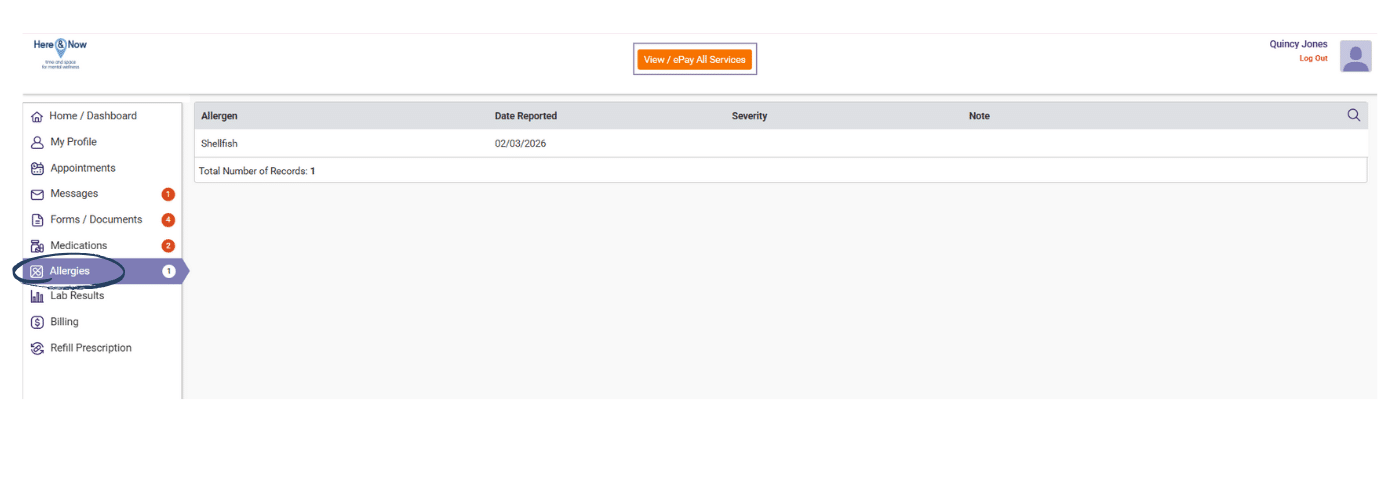
Click on “Allergies” to view any documented allergies or adverse reactions in your medical record:
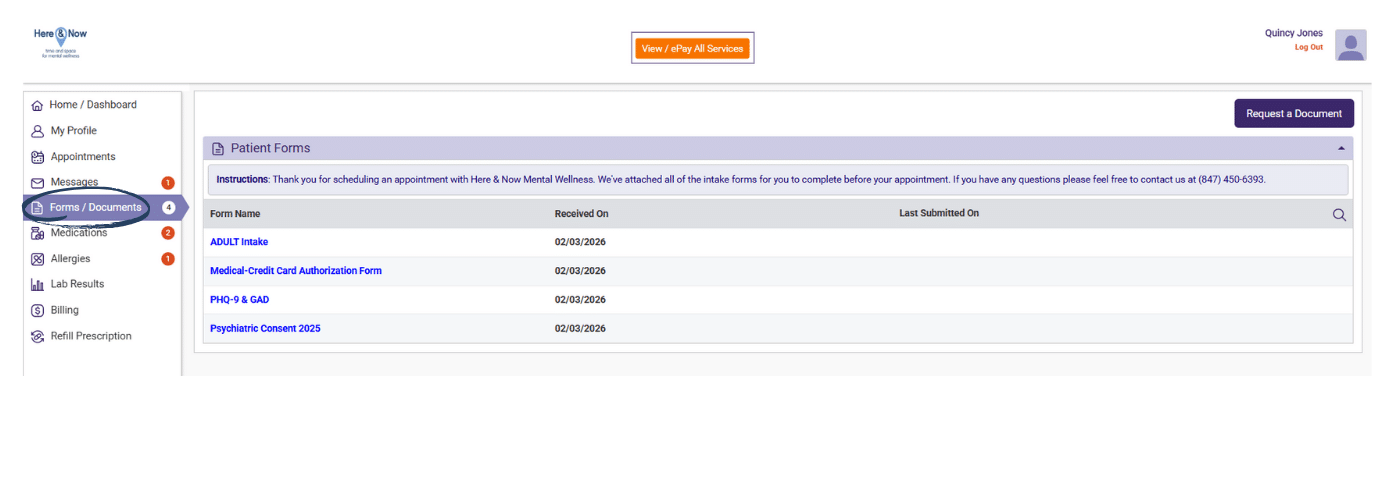
 Select “Forms / Documents” to access any clinical documents, treatment summaries, or forms that have been updated to your chart.
 Choose “My Profile” to review and update your demographic information, emergency contacts, and insurance details.
Each section allows you to view, download, or print information for your personal records. Look for the print icon or download button at the top of each page. If you need to share records with another provider, you can easily print or save these documents as PDFs.
Important note: Always hit the “Save & Submit” button when making updates to this page.
Remember that some information may take 24-48 hours to appear in the portal after your appointment or test completion. If you don’t see recent information, check back later or contact our office at (847) 450-6393.